JobAT - Job Applications Tracker
Why ?
I wanted a simple way to track all my job applications in one place.
Most job boards don’t provide a good history of the applications
you’ve sent, their statuses, deadlines, or links.
I decided to build JobAT — the Job Application Tracker —
to manage everything locally on my computer, without relying on online tools.
How ?
JobAT is built using Python and PyQt5 for the GUI.
Key libraries and features:
- PyQt5 for GUI windows and dialogs.
- JSON for storing all applications locally.
- datetime for managing dates.
- High-DPI support for 4K displays.
- Dark mode styling via a
.qssstylesheet. - Exportable as a single
.exeusing PyInstaller.
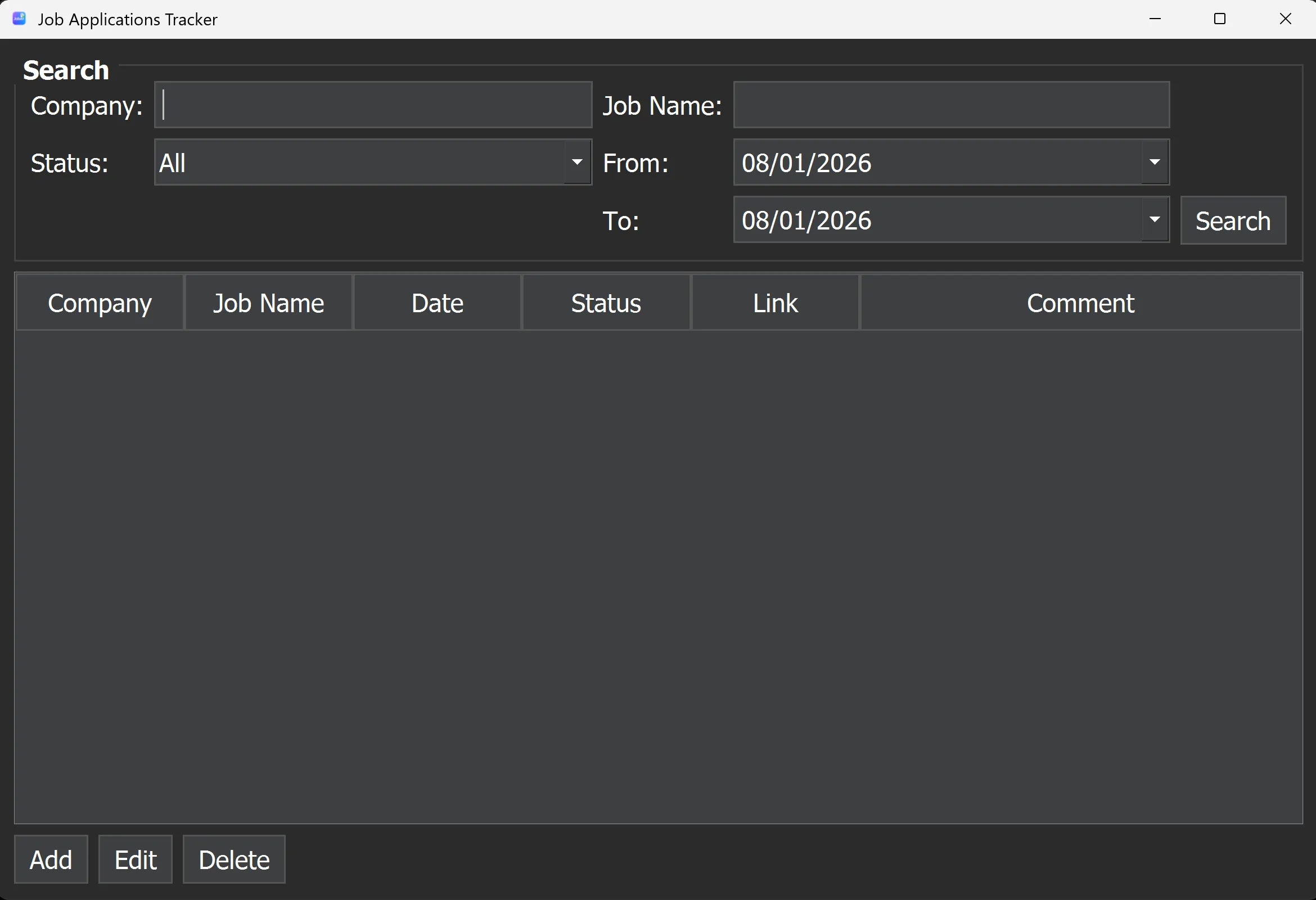
The main interface includes:
- Search filters for company, job name, status, date range.
- Application table showing company, job, date, status, link, and comments.
- Add/Edit/Delete buttons to manage applications quickly.
Adding a New Application
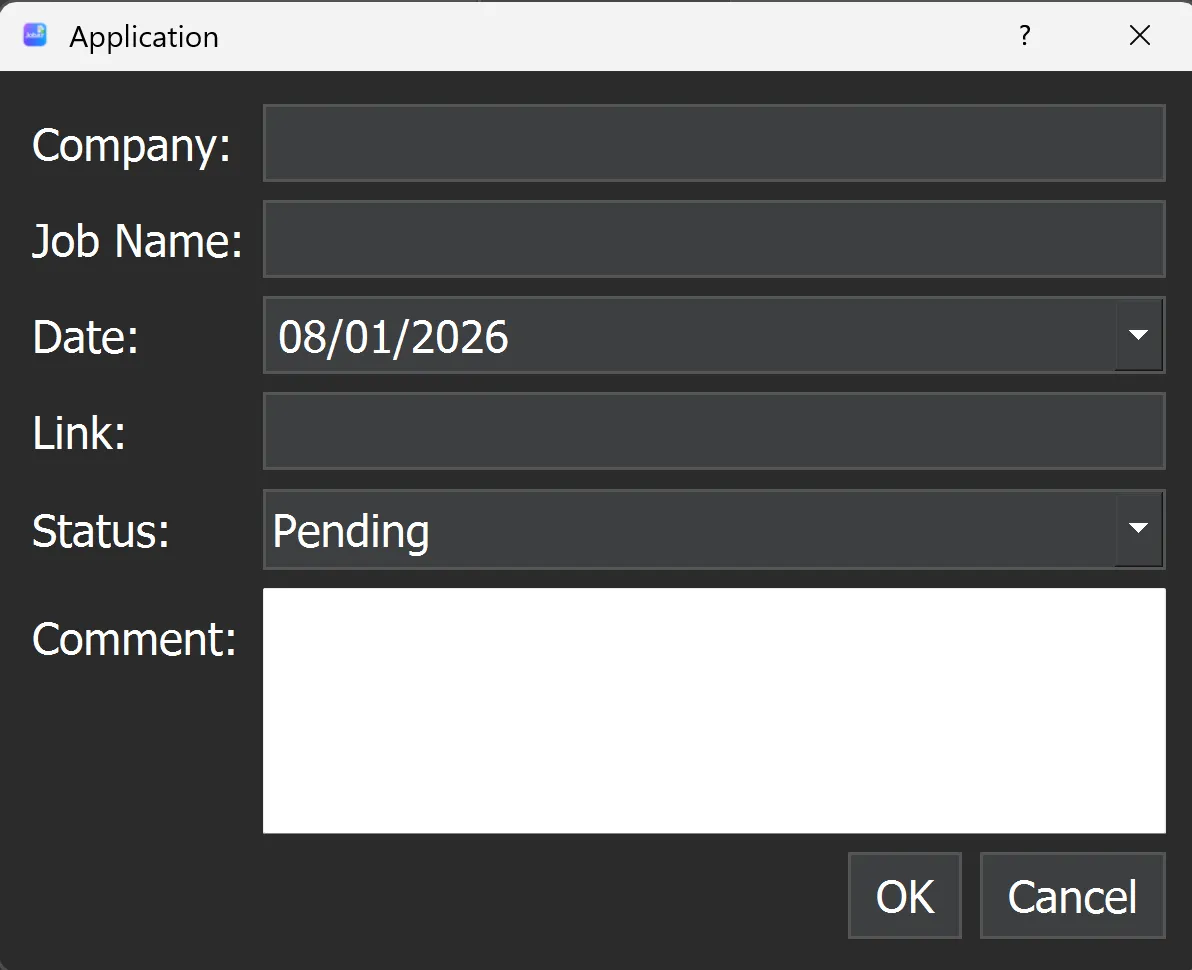
Adding a new application opens a dialog where you can fill:
- Company name
- Job name
- Date applied (defaults to today)
- Status (dropdown)
- Link to the job
- Comment
dialog = ApplicationDialog(self, app_icon=self.windowIcon())
if dialog.exec_():
    self.controller.create_application(dialog.get_data())
    self.refresh_table(self.controller.database.applications)
The dialog automatically inherits the dark mode styling and the JobAT icon from the main window.
Search & Filtering
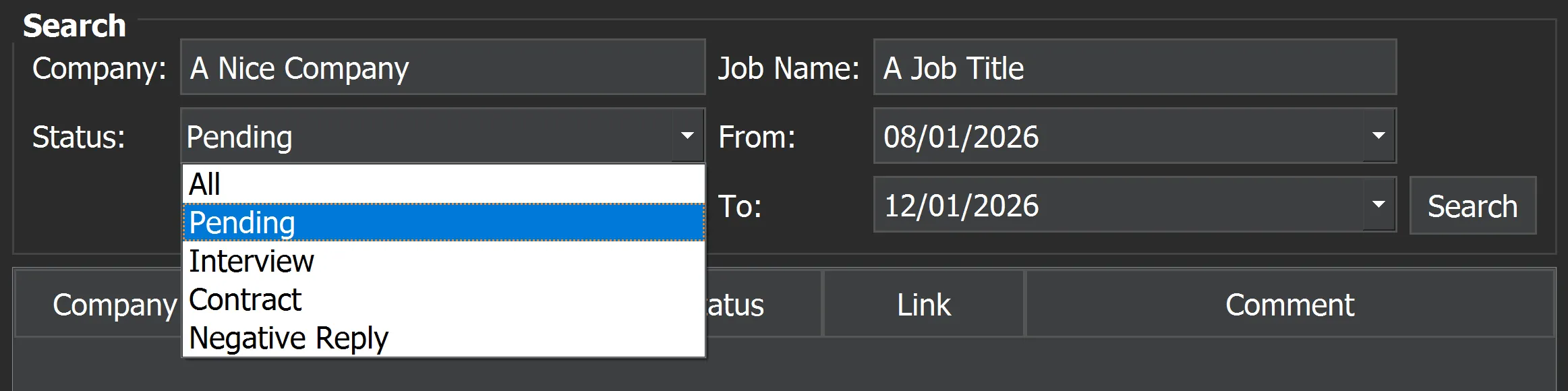
You can filter your applications by:
- Company
- Job Name
- Status
- Date range (defaults to today)
The table updates in real-time based on your search filters.
Dark Mode Styling
JobAT comes with a clean dark theme. All windows including dialogs automatically inherit this style. Font size and spacing are adjusted for readability, even on high-DPI screens.
Data Persistence
All applications are stored locally in applications.json, in the same folder as the .exe. This allows the app to be fully portable — you can copy the folder and keep your data intact.
database = ApplicationDatabase(resource_path("data/applications.json"))
controller = Controller(database)
Try it yourself !
You can download JobAT as a single .exe (no Python installation required). Just unzip it and launch JobAT.exe — your data will be saved in the same folder.
Please note: Running the .exe may trigger a security warning since it’s unsigned. This is normal for personal tools.