MarbleMaze: Galactic Stars — Technical Systems Breakdown
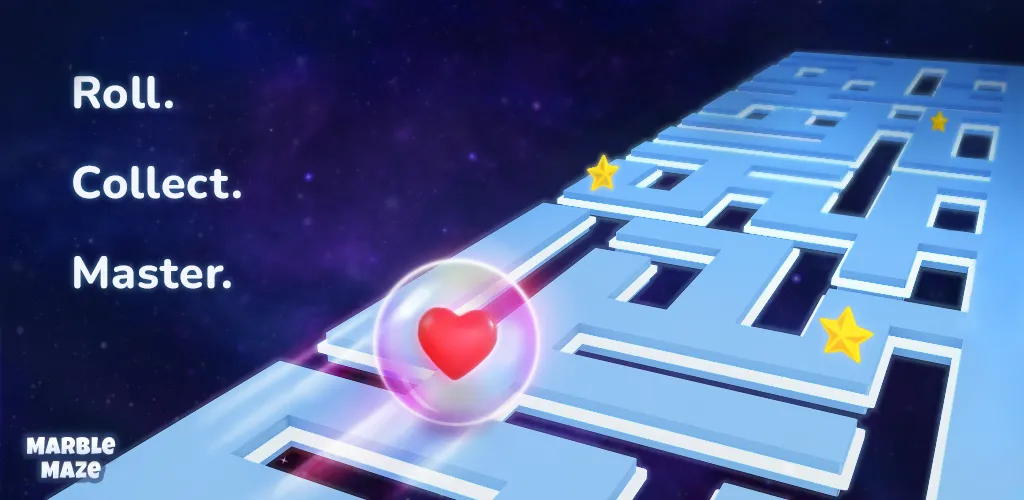
MarbleMaze: Galactic Stars is a two person developed mobile puzzle game where the player guides a marble through mazes, collecting stars while dodging a variety of hazards. Every level is procedurally generated — no two playthroughs are the same.
This post is a high-level tour of the technical systems I built for this project. Each section links to a dedicated deep-dive article for those who want the full implementation details.
Procedural Maze Generation
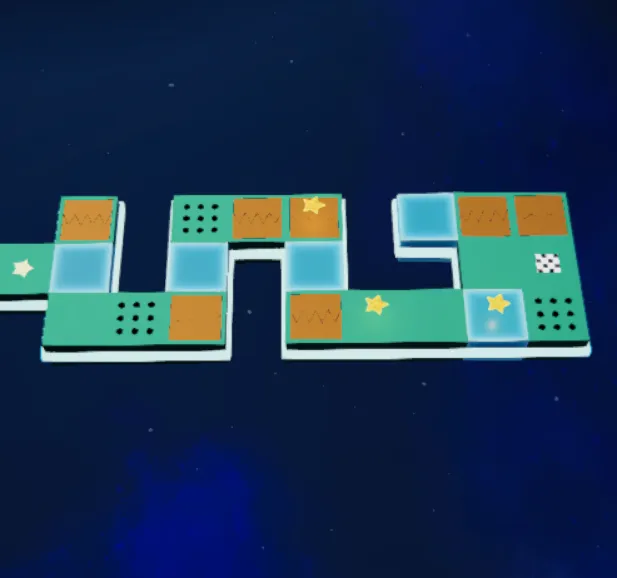
The core of the game is an infinite level generator built on top of Kruskal’s algorithm — a classic graph algorithm typically used to compute minimum spanning trees, adapted here to carve perfect mazes with no loops and guaranteed connectivity.
| Carving | Star & End placement | Star placement |
|---|---|---|
 |  |  |
The algorithm relies on a Union-Find data structure (with path compression and union by rank) to efficiently track which cells are already connected as walls are removed. On top of the base maze, a multi-pass hazard placement system decorates tiles using weighted probability distributions and spatial constraints, ensuring hazards always appear in meaningful, traversable positions.
Every maze is seeded from the level index, so generation is fully deterministic and reproducible.
Adaptive Difficulty Engine
Generating infinite levels is only useful if the difficulty curve feels right. The adaptive difficulty system tracks player performance across three axes:
- Local stress — lives lost on the current level reduces the next level’s difficulty by up to 50%
- Failure debt — repeated failures shave an additional 5% per attempt (capped at 15%)
- Global relief — accumulated difficulty relief is tracked across the session, capping at 80% to prevent the game from becoming trivially easy
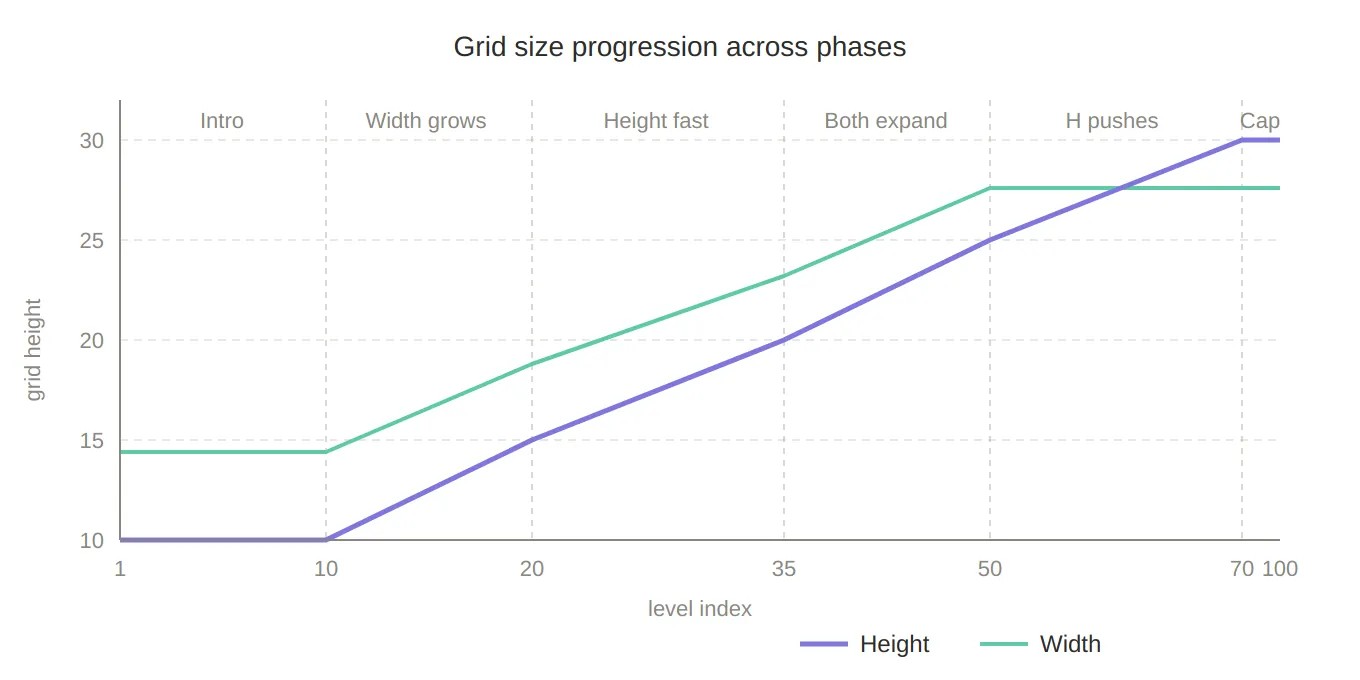
When maximum relief is reached, a recovery level is automatically injected every 3–6 levels, giving the player a breather before difficulty ramps back up. Grid size also scales in five distinct phases as the player progresses, growing from 5×10 tiles up to a maximum of 15×30.
Grid Data Structure
The level generator needs to manipulate thousands of cells without causing garbage collection spikes on mobile.
The solution is a struct-based 2D grid — every cell is a CellData value type stored in a flat array,
keeping the entire level state on the stack and out of the heap.
Cells expose ref accessors for in-place modification without boxing, and the grid provides a clean query API
for neighbor lookups, predicate filtering, and 8-way adjacency detection. This design keeps the full generation
pipeline allocation-free at runtime.
Data-Driven Level Progression (ScriptableObject Architecture)
Hazard types, their spawn weights, and the order in which archetypes appear across the progression curve are fully designer-configurable through a hierarchy of ScriptableObjects — no code changes required to tweak the feel of any difficulty phase.
LevelCycleProgression_SO defines a sequence of cycles, each assigning specific LevelArchetypeData_SO to
particular positions within that cycle. Each archetype holds a list of HazardModifier entries with typed
ground modifiers and probability weights. A recovery archetype is automatically pulled in when the
difficulty engine flags a player relief event.
Tutorial System
The tutorial is built around a pluggable condition interface — ITutorialCondition — with a concrete
implementation for every input type the game supports:
TapAnywhereCondition— any screen pressTapInAreaCondition— screen-space rect hit testing with configurable paddingTapGamepadButtonCondition— full gamepad supportPressInputActionCondition— binding to any UnityInputActionassetOrderedCondition— composite that sequences sub-conditions one after another
An InputGate component blocks all player input until the active condition resolves. A separate
TutorialOverlayMask creates animated spotlight reveals over UI elements, and scenes can emit tutorial
signals that are consumed by conditions — keeping tutorial logic decoupled from game logic.
Environment Hazards
The environment hazard systems each implement a shared ITimedHazard interface and are driven by
AnimationCurve assets, making their timing fully tunable in the Unity inspector.
Flapping Doors run a 4-state machine (Opening → PausingOpen → Closing → PausingClosed) with
independently configurable left/right rotation angles. A IsSafe() method lets the AI and player logic
query whether it is currently safe to pass through.
Moving Platforms interpolate along a curve-defined path, detect keyframe pauses within a 1ms tolerance for accurate platform stops, and use Rigidbody interpolation to stay physics-smooth at any frame rate.
Power-Up System & DOTween Choreography
Two power-ups — Rocket and UFO — temporarily replace the player marble with a fully swapped game object: Rigidbody, camera target, and visual effects all switch over during activation and back on deactivation.
Every transition is a DOTween Sequence — a squash-and-stretch scale animation using EaseInBack on
shrink and EaseOutBack on grow, with callbacks chaining state transitions between animation phases. A
PowerUpState machine (Using / Clear / Blocked) prevents activation while another power-up is already
running, and broadcasts events for audio and UI feedback.
UI Animations — Quadratic Bézier Currency Flow
When a player collects coins, stars, or hearts, the icons don’t just disappear — they arc across the screen to their respective UI counter using a quadratic Bézier curve:
P(t) = (1-t)²·A + 2(1-t)t·B + t²·CMultiple icons spawn in a staggered batch with a randomised scatter on the midpoint control point, creating
variance in each arc. Custom EaseInOutCubic easing gives each icon smooth acceleration and deceleration
throughout its flight.
Save System & Data Persistence
Six independent data structures (game state, player progress, shop state, settings, tutorial flags,
achievements) are persisted to JSON through a Strategy pattern — IDataService / JsonDataService —
so the storage backend can be swapped without touching call sites.
SavingManager.Get<T>() dispatches by generic type at runtime, giving callers a clean single-line API
with no casting. Cloud save is triggered automatically every 60 level completions via a dirty-flag
mechanism, keeping sync traffic minimal on mobile data connections.
Currency & Life Regeneration
Five currencies (coins, stars, hearts, rockets, UFOs) are stored in a Dictionary<CurrencyType, int> for
easy extensibility. Hearts regenerate over real-world time using DateTime comparison — the system calculates
how many hearts have accumulated since the app was last open and emits OnHeartTimerTick(TimeSpan) every
frame to drive the live countdown UI.
Rewarded video ads carry a 4-hour cooldown with a safety window that prevents rapid re-claims, tracked
through a pair of DateTime fields persisted across sessions.
Manager Architecture & Event System
The game’s 20+ systems (audio, levels, coins, lives, customisation, achievements, scene transitions, vibration,
and more) are coordinated through a singleton manager ecosystem connected by C# Action<T> events. No
direct manager-to-manager references exist — systems subscribe to the events they care about, keeping
coupling minimal and making individual systems easy to test or replace in isolation.
Notable patterns used across the architecture:
| Pattern | Where |
|---|---|
| Strategy | IDataService save backends |
| State Machine | Player movement, power-ups, flapping doors |
| Composite | OrderedCondition tutorial sequencing |
| Fluent Builder | SceneController.NewTransition().Load().Unload().SetActive() |
| Observer | All manager-to-manager communication |
| Factory | GridFactory, PhysicalMazeGenerator |